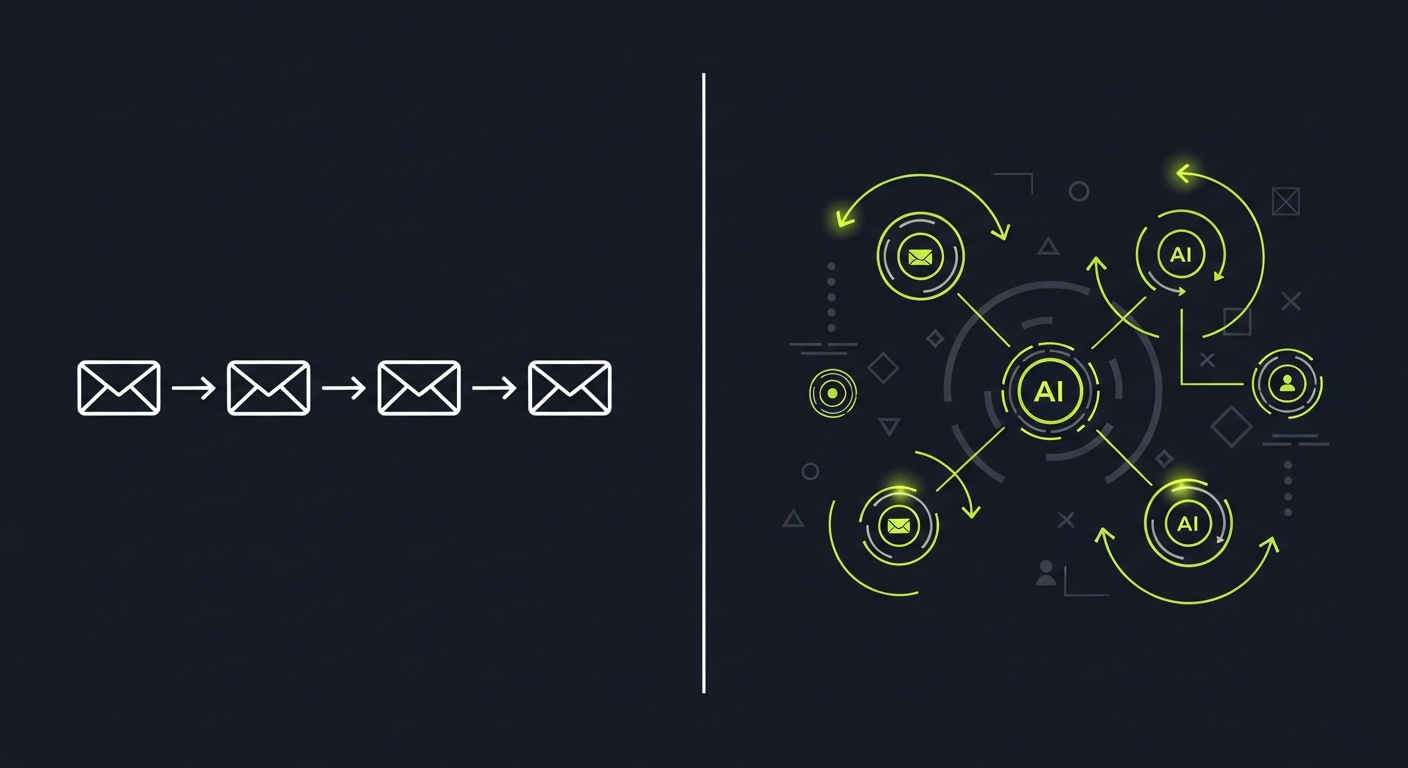
Most email infrastructure was built for one job: deliver a message from your application to a human inbox. That model works fine for password resets and order confirmations. It falls apart the moment an AI agent needs to participate in an email conversation—reading replies, classifying intent, acting on content, and sending follow-ups on its own.
The architectural differences between these two paradigms run deeper than most developers expect. This post covers exactly where they diverge, why it matters, and what you need to build an email system agents can actually use.
What transactional email architecture looks like
Transactional email is fundamentally unidirectional. Your application constructs a message, hands it to an SMTP relay (Sendgrid, Postmark, SES, etc.), and forgets about it. The relay handles delivery, bounce handling, and maybe open/click tracking via pixel and link rewriting.
The canonical flow:
App → SMTP/API → ESP → Recipient inbox
Authentication is handled by the ESP on your behalf. You publish SPF records pointing to their sending infrastructure, delegate DKIM signing to their key, and optionally set up DMARC. If you're sending from notifications@yourapp.com, you add the ESP's servers to your SPF record:
v=spf1 include:sendgrid.net include:amazonses.com ~all
What you get back from this system:
- Delivery status webhooks (delivered, bounced, spam complaint)
- Open/click events (unreliable since Apple MPP, but still common)
- Bounce classification (hard vs soft)
What you don't get:
- The content of replies
- Threading context
- Any way for the downstream message to trigger application logic
For human-facing notifications, that's fine. The human reads the email and takes action in your UI. The email is a delivery mechanism, not a communication channel.
What agent email architecture requires
AI agents need email to be bidirectional and stateful. An agent sending a vendor quote request needs to:
- Send the initial email with a trackable thread identity
- Receive the vendor's reply
- Parse the reply (extract pricing, terms, delivery dates)
- Classify intent (accepted / counter-offered / rejected)
- Decide next action and either respond or escalate
None of steps 2–5 exist in transactional email architecture. You need a fundamentally different system.
Inbound pipeline requirements
Handling inbound email for agents requires an MX record pointing to infrastructure you control, not a human mailbox. When agent@yourcompany.com receives a reply, you need that message delivered to a webhook endpoint—not stored in an IMAP folder.
A typical inbound setup:
vendor reply → MX record → inbound mail processor
                               ↓
                         webhook POST to your agent
                               ↓
                         JSON payload with parsed headers,
                         body (text + HTML), attachments,
                         From/To/Subject, Message-ID,
                         In-Reply-To, References
The In-Reply-To and References headers are critical for threading. RFC 5322 defines how email clients build conversation threads—the References header contains a space-separated list of Message-IDs for every prior message in the thread. Your agent needs to use these correctly when replying, or email clients will display its responses as unrelated messages.
When your agent sends the initial message, store the Message-ID you generated (format: <uuid@yourdomain.com>). When sending a reply, set:
In-Reply-To: <original-message-id@yourdomain.com>
References: <original-message-id@yourdomain.com>
For threads longer than two messages, append to References rather than replacing it.
Parsing vs forwarding
There's a real difference between receiving raw MIME and receiving a parsed payload. Raw MIME handling means your agent code has to deal with:
- Quoted-printable and base64 encoding
- Multipart MIME boundaries (text/plain, text/html, attachments as separate parts)
- Non-UTF-8 charsets (ISO-8859-1, Windows-1252 still appear in the wild)
- Reply chains embedded in the body that need to be stripped
A proper inbound email parsing layer handles this upstream. Your agent gets a clean JSON payload—reply text already extracted, attachments decoded and available via URL, headers normalized. That's not just a convenience. Agents working from malformed or encoding-garbled text produce bad outputs, so this is a reliability concern.
The statefulness problem
Transactional email is stateless by design. Each message is independent. Agent email is inherently stateful—the agent needs to know what it sent, when, to whom, and what it heard back.
This requires your application to maintain a conversation state machine. At minimum:
{
  "thread_id": "thread_abc123",
  "agent_id": "vendor-negotiation-agent",
  "initial_message_id": "<uuid1@agent.yourcompany.com>",
  "status": "awaiting_reply",
  "sent_at": "2025-01-15T10:00:00Z",
  "recipient": "vendor@supplier.com",
  "reply_received": false,
  "follow_up_scheduled": "2025-01-17T10:00:00Z"
}
When an inbound webhook fires, your system looks up the thread by In-Reply-To header, updates state, and hands the parsed content to the agent for processing.
Transactional email infrastructure has no concept of this. You're bolting it on externally. Agent-native email infrastructure—like Mails.ai—is designed with this state linkage as a first-class primitive.
Deliverability differences
Transactional senders and agent senders have different deliverability profiles. Conflating them causes real problems.
Volume and cadence
Transactional email volume spikes predictably with product usage. An agent sender might send 50–500 emails per day with irregular timing (whenever the agent triggers), reply to threads days or weeks after the initial send, and address recipients across many different domains.
That pattern—low volume, variable timing, many unique recipients—looks suspicious to spam filters when it comes from a shared sending IP pool tuned for high-volume transactional mail. ISP behavioral models are calibrated for different sending patterns.
Authentication setup
Both require SPF, DKIM, and DMARC, but the approach differs:
| Concern | Transactional | Agent email |
|---|---|---|
| Sending domain | notifications@app.com |
agent@yourcompany.com or agent+context@yourcompany.com |
| DKIM key ownership | Usually ESP-managed | Should be your own key, rotated periodically |
| IP type | Shared pool (usually fine) | Dedicated IP for consistent reputation |
| DMARC policy | p=quarantine or p=reject |
Same, but reply-to must be agent-controlled |
| Bounce handling | ESP-managed | Must route to your inbound pipeline |
For agents sending across multiple contexts or clients, dedicated IP addresses are worth the overhead. Shared IPs mean a misbehaving co-tenant can tank your inbox placement mid-campaign. For an agent handling time-sensitive vendor negotiations or customer escalations, that's not acceptable.
Reply-To vs From
This is where many agent email implementations break. Transactional senders set From: noreply@app.com because they don't want replies. Agent senders must set From or Reply-To to an address that routes back through their inbound pipeline.
If your agent sends from agent@yourcompany.com but your MX records for yourcompany.com route to Google Workspace, replies end up in a human inbox—not your webhook. You have two options:
- A subdomain (
agent.yourcompany.com) with its own MX records pointing to your inbound processor - A
Reply-Toheader pointing to an address your inbound pipeline controls
The subdomain approach is cleaner for DMARC alignment. DMARC requires the From domain to align with either your DKIM signing domain or your SPF-authenticated domain. If you use a subdomain, your DMARC policy on the organizational domain (yourcompany.com) covers it via relaxed alignment by default.
MCP integration: a new layer
The Model Context Protocol changes how agents interact with email infrastructure. Instead of your agent code directly calling SMTP APIs and parsing webhook payloads, an MCP server exposes email operations as tools the model can invoke directly.
A Model Context Protocol email integration might expose tools like:
tools:
  - send_email(to, subject, body, thread_id?)
  - get_thread(thread_id)
  - list_unread(agent_mailbox)
  - classify_intent(message_id)
  - mark_handled(message_id)
The agent reasons about what action to take, calls the appropriate tool, gets structured results back, and continues reasoning. This is architecturally cleaner than embedding SMTP client code in your agent logic—and it means the email infrastructure handles authentication, threading, and bounce handling while the agent works with semantic operations.
Transactional email infrastructure has no meaningful path to MCP integration. It wasn't designed for bidirectional, agent-driven workflows.
Classification and routing
When your agent receives replies at scale, you can't hand every message directly to an expensive LLM call. You need a classification layer that routes messages before full processing:
- Automatic replies and OOO: detect and suppress from the agent processing queue
- Bounces and NDRs: route to bounce handler, update contact status
- Reply with content: route to agent for full processing
- Unsubscribe requests: legal compliance, must be handled immediately
Email classification and routing handles this triage before your agent sees the message. It keeps processing costs manageable and prevents your agent from trying to reason about a mailer-daemon bounce or a Vacation Autoresponder.
Detecting automatic replies isn't trivial. Look for:
Auto-Submitted: auto-repliedheaderX-Autoreply: yesheaderPrecedence: bulkorjunkheaders- Common subject prefixes: "Out of Office", "Automatic Reply", "Vacation:"
Return-Path: <>(null sender, common on bounces)
Check all of these—not just subject line patterns.
Architecture summary
| Dimension | Transactional email | Agent email |
|---|---|---|
| Direction | Outbound only | Bidirectional |
| State | Stateless | Stateful (thread tracking) |
| Inbound | Not required | Core requirement |
| Parsing | Not needed | Structured extraction |
| Threading | Not needed | RFC 5322 compliance critical |
| Deliverability | Shared IP fine | Dedicated IP preferred |
| Integration | HTTP API / SMTP | MCP tools + webhooks |
| Classification | Not needed | Pre-agent triage required |
| Scale trigger | User activity | Agent activity |
Building the plumbing
If you're starting an agent email system from scratch, the minimum viable architecture:
- Subdomain for agent sending:
agent.yourcompany.comwith its own SPF/DKIM records - MX records on that subdomain: pointing to your inbound processor
- DKIM: 2048-bit key, record published, rotation scheduled every 6–12 months
- DMARC: start with
p=nonemonitoring, move top=quarantineafter 30 days of clean data - Inbound webhook endpoint: authenticated (shared secret in header), idempotent (process each
Message-IDonce) - Thread state store: map
Message-ID→{thread_id, agent_id, status, timestamps} - Classification layer: filter auto-replies and bounces before agent processing
- Dead-letter queue: for webhook delivery failures—you cannot lose inbound messages
The dead-letter queue gets overlooked constantly. If your webhook endpoint is down when an inbound message arrives, your inbound processor needs to retry with exponential backoff and eventually store the message for manual recovery. Lost inbound messages mean your agent has incomplete thread context, which produces broken behavior downstream.
Frequently Asked Questions
Can I use a standard ESP like SendGrid for agent email?
You can use it for the outbound leg, but you'll need a separate inbound processing solution. SendGrid's Inbound Parse webhook is functional but delivers raw MIME that your code must parse. It also doesn't handle threading state or classification. For production agent systems, a purpose-built layer is more reliable.
How do I prevent my agent from responding to auto-replies?
Check the Auto-Submitted header first—RFC 3834 defines this specifically for auto-responses. Also check X-Autoreply, Precedence: bulk/junk, and null Return-Path headers. Run these checks in your classification layer before the message reaches the agent. Never rely on subject-line pattern matching alone; it produces too many false negatives.
What's the right DMARC policy for an agent sender?
Start with p=none and rua=mailto:dmarc-reports@yourcompany.com for at least 30 days. Review the aggregate reports to confirm your SPF and DKIM are aligned on all outbound paths. Then move to p=quarantine at pct=10, scale up over 30 days, then move to p=reject. This staged rollout catches misconfigurations before they cause delivery failures.
How should agents handle email threading for long conversations?
Store the complete References header from every message in the thread. When sending a reply, set In-Reply-To to the immediate parent's Message-ID, and set References to the stored chain plus the parent's Message-ID. Don't regenerate the References chain from your database—preserve what you received verbatim, then append. This ensures compatibility with all major email clients' threading algorithms.
Does a dedicated IP make sense for low-volume agent senders?
Generally yes, if your agent sends from a consistent domain and you want reputation isolation from other senders. The tradeoff: a new dedicated IP needs to be warmed (start at 50–100 emails/day, ramp over 4–6 weeks). For agents sending fewer than 200 emails/day to start, a dedicated IP with a proper warm-up schedule is worth it for reputation control. Shared IPs are simpler but your deliverability is partially hostage to other tenants.
Can agents handle email attachments reliably?
Yes, but your inbound parser needs to decode them before the agent sees them. Base64-encoded MIME attachments should be decoded and stored (S3, GCS, etc.) with a signed URL passed to the agent. The agent should never receive raw base64 in its context window—it's wasteful and models handle it poorly. For PDFs and images, you'll want a separate extraction step (OCR, PDF parsing) that produces text the agent can actually reason about.